One fast, native desktop app for SQL and NoSQL alike. Browse, query and edit Postgres, MySQL, SQL Server, SQLite, MongoDB, Redis and more — and extend it with plugins when you need something new.
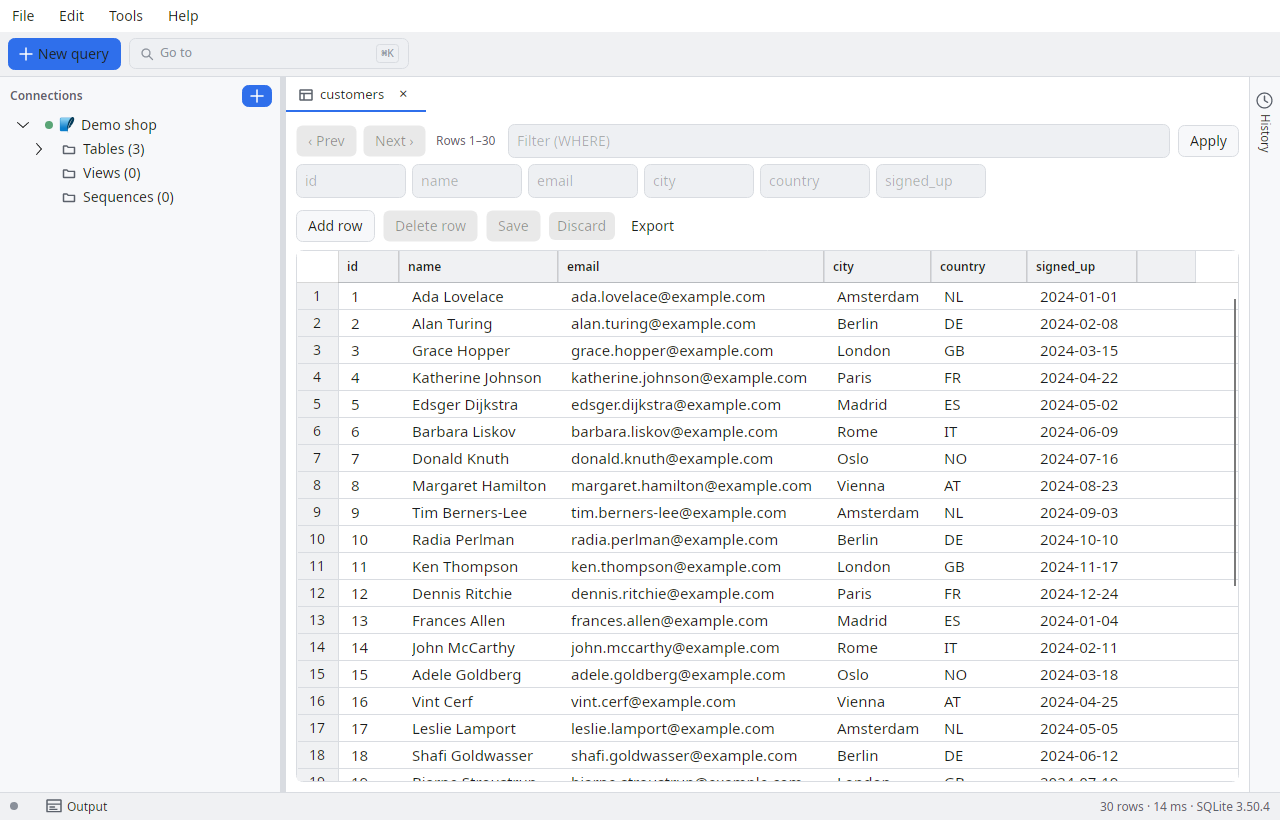
A calm, native interface — not a browser tab pretending to be an app.
SQL and NoSQL side by side. Connect to relational engines, document stores and key-value databases from one tree.
Syntax highlighting, multiple tabs, rebindable shortcuts, and open/save of .sql files with a dirty-marker.
Edit results in place and commit changes back to the database — no round-trip through hand-written UPDATE statements.
CSV in and out, JSON and SQL export, and SQL Server BACPAC/DACPAC via the tool plugins. Move data where you need it.
Providers, tools, MCP servers and extensions load at runtime in isolation. Add an engine without touching the host.
An opt-in MCP server lets AI assistants query safely — read-only per connection, on a loopback port, with an audit log you control.
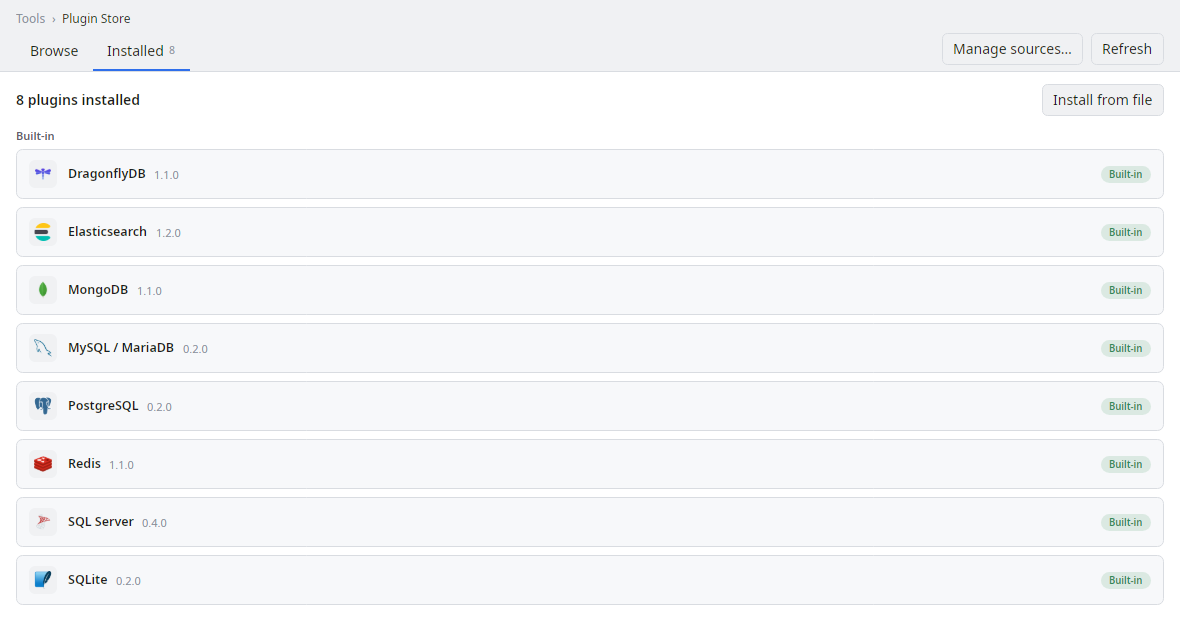
Every plugin ships as a folder next to the app and loads into an isolated AssemblyLoadContext. Only the SDK and Avalonia are shared with the host — so a plugin can add a database, run a tool, bridge your data to AI, or stand up a whole subsystem without ever destabilising the app.
{
  "schemaVersion": 1,
  "id": "mongodb",
  "type": "provider",
  "name": "MongoDB",
  "version": "1.1.0",
  "hostApiVersion": 25,
  "entryAssembly": "SqlExplorer.Providers.MongoDb.dll"
}
The built-in Plugin Store shows what's installed and lets you add more.
No account, no telemetry wall. Download it and connect your first database.
 SQL Explorer